

Most coordination problems aren't people problems. They're visibility problems.
When a team is small, work is tracked in conversations, inboxes, and a shared spreadsheet or two. Everyone knows who's doing what because everyone is in the same room, literally or figuratively.
Growth changes that. More projects, more clients, and more handoffs between teams expose something that was always true: there was never one place where the work actually lived. Nothing failed. Scale simply made the gaps visible, in the form of missed deadlines, duplicated effort, and status meetings that exist only to find out where things stand.
That's the problem monday.com is designed to address.
What monday.com is
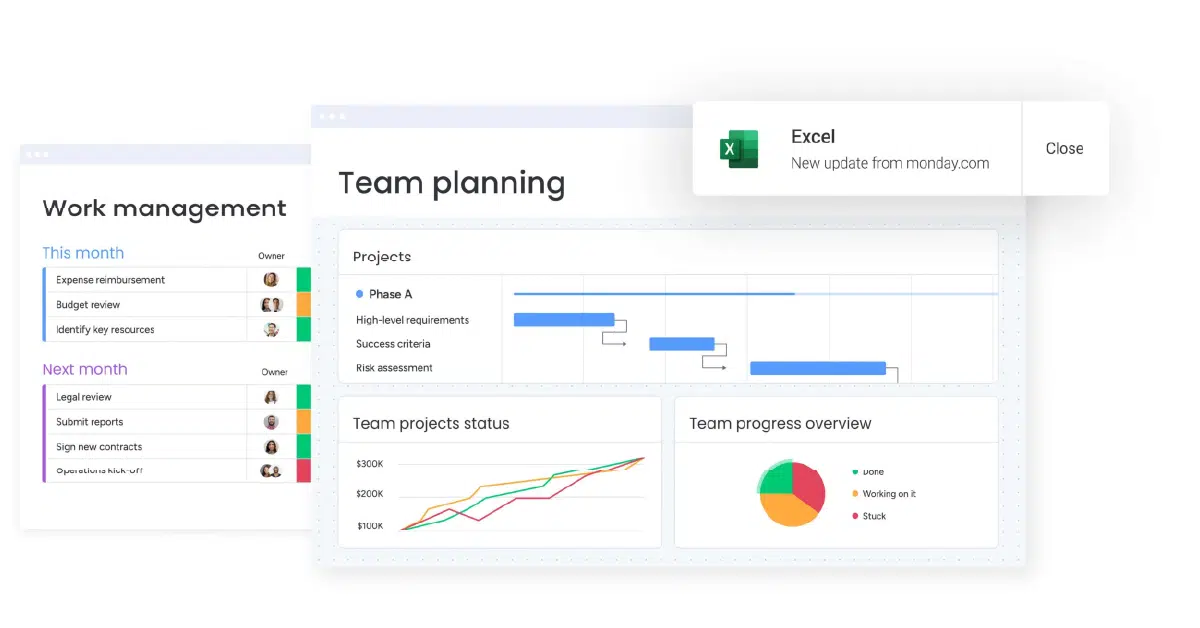
monday.com is a cloud-based work platform that gives a team one shared place to plan, track, and run its work. Its foundation is the board: a visual, spreadsheet-like view where each item has an owner, a status, and a due date, and can be seen as a table, Kanban, timeline, or Gantt chart.
On that same foundation, monday.com offers several products for different kinds of work:
- monday work management for projects, tasks, and day-to-day operations
- monday CRM for sales pipelines and customer-facing teams
- monday dev for product and software teams
- monday service for IT and support tickets
- monday campaigns for email marketing
Around the boards sit the pieces that connect work together: dashboards for reporting, built-in automations, docs and forms, and integrations with the other tools a business already uses.
The platform's most recent direction is AI. monday.com now describes itself as a workspace for people and AI agents, with an AI assistant, a meeting notetaker, and an agent builder that lets teams set up agents for tasks like triaging tickets, summarizing meetings, or flagging projects at risk. Those agents run inside permissions the business controls, with activity logs and a simulation mode to check their work before it goes live.
Who it's built for
monday.com serves a wide range, from small businesses on its free and entry plans to large enterprises. Its sweet spot is the growing, cross-functional team: a business that has moved beyond one person holding the whole picture in their head.
It tends to fit best when:
- Several teams share the same work. Marketing, operations, sales, and delivery hand projects to each other and need to see the same status.
- Leaders need a view across projects. Owners and operations leads want to know what's on track without asking each person individually.
- The team isn't technical. The visual interface lets non-technical staff build and adjust their own workflows without code.
- Work repeats. Client onboarding, campaign launches, hiring, and service requests follow patterns that benefit from templates and automation.
The common thread isn't size or industry. It's a business where coordination has started to cost more than the work itself.
What a system like this actually changes
Work has one home
When every project, request, and deal lives on a board, the question "where is this?" has one answer. Status stops living in someone's inbox, and handoffs stop depending on who remembers to send the update.
Ownership becomes visible
Every item has a named owner and a due date. That simple structure removes ambiguity: people know what they're responsible for, and leaders can see follow-through without checking in on every task.
Leaders see what's actually happening
Dashboards roll up progress across boards and teams, so owners and managers can spot what's slipping before it becomes a problem. Decisions get made from current information instead of last week's meeting.
Repetitive coordination runs on its own
Automations handle the routine steps: assigning the next owner when a status changes, sending a reminder before a deadline, creating a task when a form is submitted. The team spends less time moving work around and more time doing it.
It connects to the rest of the stack
Native integrations, along with connectors like Zapier, let monday.com exchange data with a CRM, email, calendar, and accounting tools. That keeps the board aligned with what's happening elsewhere in the business rather than becoming one more place to update by hand.
A tool supports the system. It doesn't replace it.
monday.com is flexible, and that flexibility cuts both ways. A board can reflect a clear process, or it can faithfully reproduce an unclear one, just with more colors.
Teams that get the most from it tend to get clear on three things first: how work actually moves from request to done, who owns each stage, and which data needs to flow in from other systems. With that clarity in place, the boards, automations, and AI agents have something solid to support.
The goal isn't to hand responsibility to software. It's to remove the friction that keeps good people chasing status instead of doing the work.
Where to start
If your team spends more time asking where things stand than moving them forward, that's a sign your growth has outpaced your structure.
The next step is straightforward: map how work moves through your business today, then decide where a platform like monday.com fits and what it needs to connect to. If that reflects where you are, you can book a discovery call and we'll map it out together.
