Google Drive is Google Workspace's cloud storage and file-sharing platform. It holds the documents, spreadsheets, presentations, recordings, and contracts behind every client relationship, and it's already in place for most teams.
That's exactly why it gets overlooked. Early on, a few shared folders are enough. As the business grows, the same habits start to strain. Folders get named three different ways. Duplicates appear. Files live in personal drives instead of shared ones. A new hire asks where the discovery notes are, and nobody is quite sure.
Growth didn't break your file system. It revealed that the file system was never designed. It relied on people remembering.
How Google Drive Supports Revenue Architecture
From a revenue architecture perspective, Drive isn't just storage. It's part of the handoff between selling and delivering. When it's designed well, it removes friction at the moments where deals most often stall or lose context.
- Consistent structure. Every client gets the same folder layout, with numbered folders for Sales, Discovery, Accounting, and Delivery. Your team always knows where work belongs and where to find it.
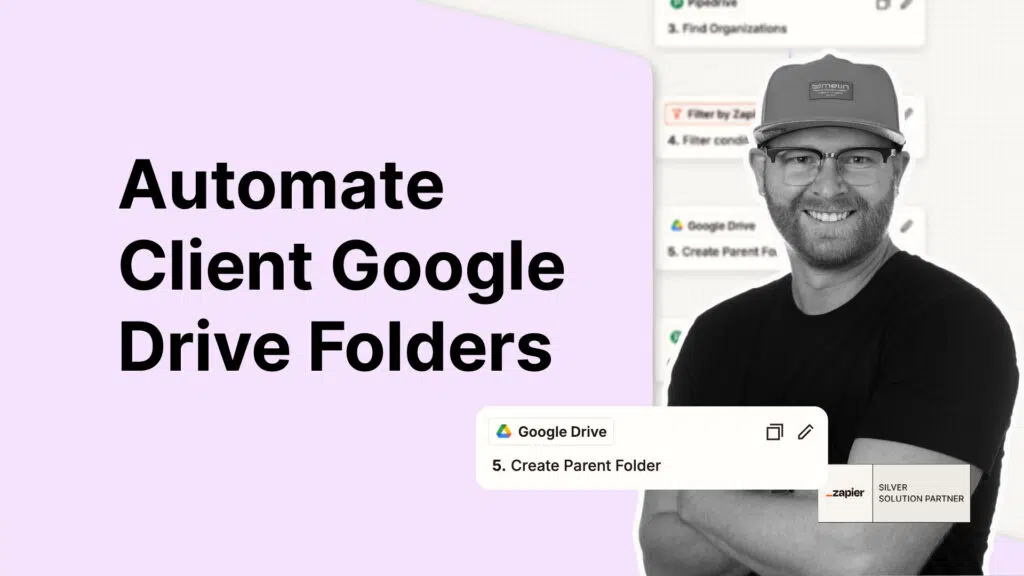
- Connected to your CRM. Folders are created automatically when a deal is won, named with the client and their CRM ID, and linked back to the client record. The CRM stays the source of truth, and files are one click away.
- No duplicates. The system checks whether a client already has a folder before creating one. Repeat business doesn't create a scattered trail.
- A foundation for more automation. Once folders follow a predictable pattern, other systems can use them. Call recordings, signed contracts, and onboarding documents can be filed automatically, without anyone dragging files around.
- Clear access and ownership. Shared drives and intentional permissions keep client work with the business, not tied to whoever happened to create the file.
The outcome is clarity on where work lives, ownership of your client records, and leverage from a process that runs without supervision.
Where It Fits in Your Systems
Google Drive works best when it isn't managed in isolation. I connect it to the rest of your revenue stack using tools like Zapier, so a won deal in your CRM, such as Pipedrive or HubSpot, sets up the client's workspace without anyone stepping in. What happens next flows from that structure.
I don't remove responsibility from your team. I remove the friction that makes responsibility hard to keep.
If client files, handoffs, or CRM records still depend on someone remembering the right steps, the next step is straightforward. Book a discovery call and we'll look at how your systems connect today, and what it would take to make them support confident, intentional growth.